
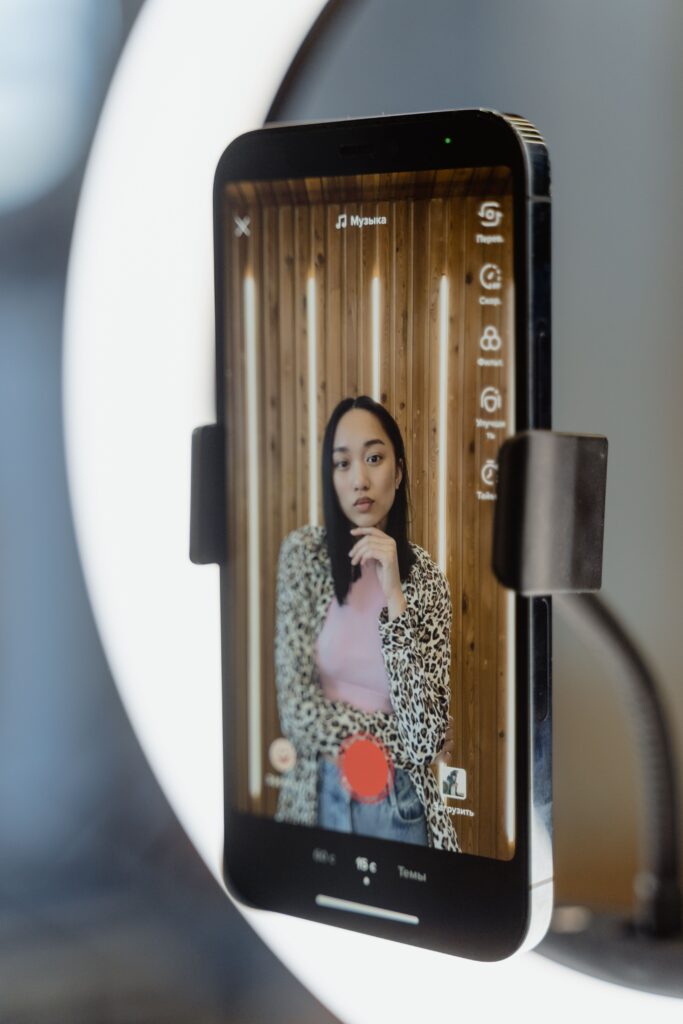
Vertical videos have become one of the most effective ways to reach people online. Whether you are creating Instagram Reels, YouTube Shorts, or TikTok videos, short vertical content can help creators, businesses, and brands connect with their audience quickly. However, recording a good video is only one part of the process. Editing plays a major role in making content look professional and keeping viewers interested. You may need to trim clips, add captions, include music, adjust the video size, or create smooth transitions. This is where a vertical video editor becomes useful.
But with so many editing tools available, you may wonder: What is the best vertical video editor for Reels, Shorts, and TikTok?
The answer depends on your needs, experience, and the type of videos you create. For many beginners and social media creators, CapCut is often one of the easiest and most useful options, while professional editors may prefer tools such as Adobe Premiere Pro or other advanced software.
Let’s look at what makes a good vertical video editor and how to choose the right one.
What Is a Vertical Video Editor?
A vertical video editor is a tool that helps you create and edit videos designed for vertical screens.
Most platforms use the 9:16 aspect ratio for full-screen vertical videos. This format is commonly used for:
- Instagram Reels
- YouTube Shorts
- TikTok videos
- Facebook Reels
- Pinterest video content
- Short promotional videos
A good vertical video editor allows you to resize your footage, crop unnecessary areas, add text and captions, and export the video in a format suitable for social media.
Instead of editing a wide horizontal video and trying to fit it into a vertical screen later, you can edit directly in the correct format.
Why Is Vertical Video Editing Important?
Most people watch short videos on their smartphones. A vertical video fills more of the mobile screen, making the content easier to watch.
Vertical editing also helps creators design videos specifically for social media. For example, you can place captions where they are easy to read, keep important subjects in the center of the screen, and avoid placing text behind platform buttons or captions.
Good editing can also improve viewer retention.
Short-form videos move quickly, so the first few seconds are important. A vertical video editor can help you:
- Remove boring or unnecessary parts
- Add quick cuts
- Include captions
- Add music or sound effects
- Create transitions
- Highlight important points with text
- Resize videos for different platforms
The goal is not simply to make a video look fancy. The content should be simpler and more entertaining to watch with good editing.
CapCut: A Popular Choice for Vertical Videos
For beginners and social media creators, CapCut is one of the most popular options for editing Reels, Shorts, and TikTok videos.
One of its biggest advantages is that it is relatively easy to learn. You do not need professional editing experience to start creating simple short videos.
CapCut offers features such as:
- 9:16 vertical video editing
- Automatic captions
- Text and subtitle tools
- Video effects
- Filters
- Transitions
- Background removal tools
- Speed adjustments
- Music and sound options
- Templates
- Basic AI-powered editing features
These tools can make the editing process faster, especially when you are creating content regularly.
For example, if you create talking videos, tutorials, product videos, or motivational content, automatic captions can save a lot of time. Instead of typing every subtitle manually, the software can generate captions that you can review and edit.
CapCut is also suitable for creators who want to edit content for multiple platforms without using complicated professional software.
Adobe Premiere Pro for Professional Editing
If you need more control over your videos, Adobe Premiere Pro is a stronger option.
It is designed for more advanced video editing and offers professional tools for color correction, audio editing, effects, transitions, and detailed timeline editing.
Premiere Pro can be a good choice for:
- Professional content creators
- Businesses
- Video editors
- Marketing teams
- YouTube creators
- Agencies
The software allows you to create vertical video projects and customize nearly every part of the editing process.
However, Premiere Pro has a bigger learning curve than beginner-friendly editors. If you only want to create simple TikTok videos or Instagram Reels, it may offer more features than you actually need.
For beginners, learning a simpler editor first can be a better approach.
Canva for Simple Social Media Videos
Canva is another useful option for creators who want to make simple and visually attractive vertical videos.
It is especially helpful for:
- Promotional videos
- Product videos
- Social media ads
- Quote videos
- Educational content
- Slideshow-style videos
Canva provides ready-made templates designed for different social media platforms. You can add your own video clips, images, text, music, and branding elements.
It is not designed to replace professional video editing software, but it can be a convenient option if your videos focus heavily on text, graphics, and simple animations.
For example, a small business could use Canva to create a vertical promotional video with product images, text, prices, and background music.
What Qualities Should a Vertical Video Editor Have?
The most feature-rich video editor isn’t always the best one. It should have the tools you actually need.
Here are some important features to consider.
1. Support for the 9:16 Aspect Ratio
The editor should allow you to easily create videos in a vertical format.
The standard 9:16 ratio works well for Reels, Shorts, and TikTok. Look for an editor that lets you select the correct format before or during editing.
This will save time and reduce the need for manual resizing.
2. Easy Caption and Text Tools
Since many people watch videos without sound, captions are crucial.
A good editor should allow you to add readable text and subtitles. Automatic caption tools can be especially useful for creators who publish content regularly.
You should also be able to adjust the font, size, position, and timing of your captions.
3. Quick and Simple Editing
Short-form content often requires fast editing.
Look for tools that make it easy to trim clips, split videos, remove mistakes, and rearrange scenes.
You should not need several hours to edit a simple 30-second video.
4. Music and Audio Controls
A video’s audio can significantly affect its quality.
A useful editor should allow you to add background music, adjust volume levels, and include voiceovers or sound effects.
Make sure the music does not overpower the main audio.
5. Templates and Effects
Templates can help beginners create professional-looking videos more quickly.
Effects and transitions can also improve a video, but they should be used carefully. Too many effects can make content distracting.
The best editing style usually supports the message rather than taking attention away from it.
Which Video Editor Is Best for Beginners?
For most beginners, CapCut is a strong choice because it combines easy editing tools with features designed for short-form content.
If you want something even simpler and your videos are mainly focused on graphics and text, Canva can also be useful.
The best approach is to choose one editor and learn its basic features instead of downloading many different apps.
Start by learning how to:
- Import video clips.
- Trim unnecessary parts.
- Set the video to 9:16.
- Add captions.
- Add background music.
- Include simple transitions.
- Export the video in good quality.
Once you become comfortable with these basics, you can start exploring more advanced features.
Tips for Creating Better Reels, Shorts, and TikTok Videos
- Having a good video editor is helpful, but the content itself still matters most.
- Try to capture attention early. Start with an interesting statement, question, visual, or problem.
- Keep the video focused on one main idea. If you try to explain too many things in a short video, viewers may lose interest.
- Use captions that are easy to read and avoid placing important text too close to the edges of the screen.
- You should also remove unnecessary pauses. Short-form videos usually work better when they move quickly and provide value without wasting time.
- Finally, do not depend only on effects and transitions. A simple video with a strong idea can perform better than a heavily edited video with no clear message.
Conclusion
So, what is the best vertical video editor for Reels, Shorts, and TikTok?
For many beginners and everyday content creators, CapCut is one of the best choices because it is easy to use and includes many useful features for short-form video editing. Canva can work well for simple graphic-based videos, while Adobe Premiere Pro is better suited to creators and editors who need advanced professional tools.
The best choice ultimately depends on your needs. If you are just starting, choose an editor that feels simple and comfortable. Learn the basics of vertical video editing, including trimming, captions, audio, and 9:16 formatting. As your skills improve, you can explore more advanced tools and editing techniques.
At the end of the day, the best vertical video editor is the one that helps you create engaging, high-quality content without making the editing process unnecessarily difficult.