
Outsourcing video editing can be a smart move — whether you’re a content creator, a small business, or a marketing agency. First off, it saves you from the hassle and cost of maintaining an in‑house editing team. Hiring full‑time editors means investing in software licenses, hardware, training, and overhead. Outsourcing lets you avoid those fixed costs and only pay for what you need.
Second, outsourcing frees up time. Editing can be time-consuming — trimming footage, syncing audio, adding effects, color correcting, and rendering take hours. By outsourcing, you get more time to focus on core activities: content creation, marketing strategy, or business growth. Our Portfolio
Third, outsourcing gives you flexibility and scalability. If one month you need 2‑3 videos and another month 10, external editing services adapt easily — no hiring or layoffs.
Finally, it gives you access to global talent and expertise. You’re not limited by geography. Editors worldwide may offer competitive rates while delivering high-quality results — often with advanced tools and techniques.
For these reasons, outsourcing video editing — whether through freelancers or editing services like SPLedit — allows you to get professional-quality results, without heavy fixed costs or long-term commitments.
How to Choose the Right Outsourcing Partner
Picking the right partner is key. Here are the factors to consider:
Define your video requirements clearly. Know exactly what you want: simple social‑media clips, long-form YouTube content, promotional videos, color grading, motion graphics, subtitles, sound mixing, etc. A clear brief helps avoid surprises down the line.
Check portfolio and past work. A good outsourcing partner should show a range of past projects — from simple edits to complex videos. Review their style: pacing, color grading, transitions, audio quality. If they’ve worked on similar content to yours (social media, corporate, short films, etc.), that’s a plus.
Set communication and expectations early. Clarify turnaround time, revision policy, delivery format, and feedback process. Miscommunication is one of the top reasons outsourced video editing fails.
Consider cost vs. value, not just lowest price. Cheap doesn’t always mean good. Sometimes low-cost editors deliver basic cuts but struggle with quality or consistency. A service that charges slightly more but offers reliable quality, good communication, and consistent results may be worth it — especially for recurring projects.
Check for scalability and flexibility. If you expect your content volume to grow, make sure the partner can handle increased workload. Also consider whether they can handle urgent projects or tight deadlines.
Protect your assets and set clear terms. Before sending raw footage and brand assets, ensure there’s clarity on ownership, confidentiality, delivery formats, and a contract or agreement. A formal arrangement helps avoid misunderstandings.
A trustworthy service like SPLedit would ideally offer a clear brief process, transparent pricing, good communication, and flexibility — all needed for a smooth outsourcing relationship.
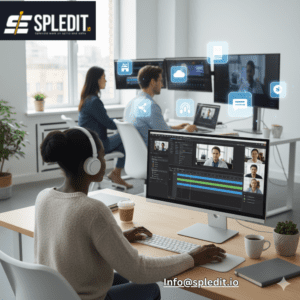
Top Platforms for Outsourcing Video Editing
When you decide to outsource editing, there are several platforms and types of services you can use. Here are some of the main ones:
-
Freelance marketplaces. Platforms like Upwork, Fiverr, and similar freelance‑oriented marketplaces offer access to a global pool of video editors. You can browse portfolios, read reviews, and pick someone based on your budget and needs. These are especially good for one‑off or occasional projects.
-
Dedicated remote editing services/agencies. These services — like a studio-style service or a team-based provider — manage editing through a structured workflow. They often handle everything from raw footage to final export, including extras like color grading, sound mixing, captioning, and more. For example, a service like SPLedit (or similar remote editing services) can give reliable results for creators, businesses, or agencies with regular video needs.
-
Retainer-based editing services. If you produce content regularly (weekly uploads, social media reels, marketing videos), a retainer or subscription-based editing service can be cost-effective. You pay a fixed monthly fee for a set number of edits or hours — giving predictable cost and consistent output.
-
Boutique studios / specialized post-production houses. For higher-end projects — commercials, corporate videos, multi-camera shoots, professional productions — boutique studios or post-production houses offer advanced editing, motion graphics, visual effects, sound design, and more. Our Services
-
Hybrid freelancers or small teams. Some outsourcing partners combine the flexibility of freelancers with the reliability of a team or mini‑studio. They’re good for creators who need more consistency than a lone freelancer but don’t need the scale or cost of a big agency.
-
Offshore providers. Many outsourcing services are based in countries where labor and overhead costs are lower. These providers can offer competitive pricing while delivering quality work — making them a good choice if you’re on a budget but still want professional editing.
Wherever you choose to outsource, it’s wise to start with a small test project — maybe a short video or a simple edit — to evaluate quality, communication, and turnaround time before committing to larger projects or a retainer.
Common Challenges When Outsourcing and How to Avoid Them
Outsourcing video editing offers many benefits, but there are also pitfalls. Here are common challenges — and ways to overcome them.
Communication and Creative Misalignment
Working remotely — often across time zones — can lead to misunderstandings. Editors may interpret your brief differently than you intended. That can result in final edits that don’t match your vision.
Solution: Provide a detailed brief, including style references, sample videos, brand guidelines, mood boards, and clear instructions. Use consistent check-ins (video calls, messages), and allow for revision rounds before finalizing.
Inconsistent Quality or Style
If you’re working with different editors for different projects, your content may vary wildly in editing style, pacing, color grading, and overall feel. That inconsistency undermines your brand identity.
Solution: Stick with the same editor or small team when possible. Use a style guide that outlines your preferred look — colors, fonts, transitions, music style, structure — and share it for every project.
Data Security and Confidentiality
Sending raw video footage, brand assets, or sensitive content to external parties comes with risks: leaks, unauthorized sharing, or misuse. Shorts Maker Free
Solution: Use secure file-sharing platforms, and sign a non‑disclosure agreement (NDA) or contract that specifies confidentiality and ownership rights.
Turnaround Delays or Availability Issues
Freelancers may juggle multiple clients, causing delays. For time-sensitive projects or series uploads, delay can disrupt your schedule or marketing calendar.
Solution: Define deadlines clearly upfront. Choose a partner who commits to a delivery schedule and offers buffer time for revisions. For recurring work, a retainer or dedicated-editor arrangement can help ensure consistent availability.
Unexpected Costs and Scope Creep
If the initial brief isn’t detailed, you might end up needing extra revisions, added effects, or lengthier edits, which can blow up your budget.
Solution: Set a clear scope and contract. Specify how many rounds of revisions are included, what counts as “extra work,” and what the charges will be. Provide organized raw footage and all assets upfront to minimize extra work.
By being aware of these pitfalls — and setting clear expectations — you can avoid most outsourcing woes and get the full benefit of a remote editing workflow.
Cost vs. Quality: What to Expect from Outsourced Editing
Cost and quality vary significantly depending on who you hire, where they’re located, and the complexity of your project. Here’s a rough breakdown based on industry data:
-
Entry-level / basic editing (simple cuts, social media clips, basic trimming): Often charged around $20–$35/hour for freelancers.
-
Mid-level editing (YouTube videos, corporate or branded content, some effects): Usually $40–$80/hour.
-
Advanced editing (color grading, motion graphics, complex edits, high‑production value videos): Rates may go $100–$150/hour or more.
-
Fixed-price per-project editing:
-
Simple or short videos: often $100–$500 per video.
-
Medium complexity (YouTube, corporate content): typically $500–$2,500 per video.
-
High-end or complex projects (ads, multi‑part campaigns): can go beyond $2,500+ depending on scope.
-
When quality matters — for brand identity, marketing, or long-form content — investing in a mid-level or professional editor (or a trusted service like SPLedit) is often worth the cost. The better the editing, the stronger the viewer engagement and brand impression.
If you produce videos regularly, retainer-based or subscription-style outsourcing often gives the best balance of cost, consistency, and quality. Many brands find this more predictable and easier to budget for.
Tips for Managing Remote Video Editors Effectively
Outsourcing is not just about picking someone and sending footage. To get the best results, treat it like a collaboration. Here are some practical tips:
-
Prepare a detailed brief. Include project objective, target audience, style references (colors, fonts, pacing), preferred music or sound, aspect ratio — everything. The clearer you are, the less guesswork the editor has.
-
Provide organized assets. Raw footage, audio files, graphics, logos, music — all should be clearly named and organized. This helps the editor work faster and reduces errors.
-
Use shared tools and communication channels. Use cloud drives (Google Drive, Dropbox, etc.), collaboration tools, and call or chat platforms to review work-in-progress and give feedback. Frequent check-ins prevent drift from your vision.
-
Request a draft before final delivery. For longer or complex projects, ask for a rough cut first. Review and give feedback before final rendering to avoid time wasted on revisions.
-
Document style preferences. Build a “style guide” for your content — color grading, graphics styles, music genre, subtitle styles, intro/outro format. That way each video feels cohesive and on-brand.
-
Agree on revisions and deadlines upfront. Set how many revisions are included, expected turnaround time, and delivery format. This sets expectations and prevents misunderstandings.
-
Start small, then scale. For first-time outsourcing, try with a small project. Once you’re comfortable with the editor’s style and communication, scale up to larger or recurring projects.
With good management and clear communication, outsourcing can feel like working with an in-house team — but with far greater flexibility and lower overhead.
Why SPLedit Can Be a Smart Outsourcing Option
If you’re looking for a partner that balances affordability, quality, and flexibility, a service like SPLedit is worth considering.
-
SPLedit can meet a variety of needs — from simple social media clips to full-featured YouTube videos.
-
They allow you to avoid the costs of hiring and maintaining an in-house team — hardware, software, and ongoing overhead.
-
Because they handle projects as needed, you get flexibility. On slow weeks you’re not paying full-time salaries; on busy weeks you can ramp up.
-
With clear communication, defined deliverables, and a solid workflow, you can expect consistent quality and predictable turnaround.
-
For creators and businesses producing regular content, SPLedit’s model allows reliable scaling — without burdening you with hiring and management headaches.
Outsourcing video editing can be a game‑changer if you want to save time, reduce costs, and still get professional‑grade videos. It offers flexibility, access to a wide talent pool, and the possibility to scale without heavy commitments.
But success depends heavily on choosing the right partner — someone who communicates well, delivers consistent quality, meets deadlines, and understands your vision. With careful planning, clear briefs, and organized workflows, outsourcing becomes more than just a convenience — it becomes a strategic asset for growing your content or business.
Whether you try a freelance marketplace, a remote editing service, or a dedicated agency like SPLedit, it’s worth testing first with a small project. That way you can evaluate quality, communication, and reliability before committing to big workloads.
Frequently Ask Questions
-
What is video editing outsourcing?
It’s hiring external professionals or companies to handle your video editing instead of doing it in-house. -
Why should I outsource video editing?
Outsourcing saves time, reduces costs, provides access to expert editors, and allows you to focus on content creation. -
How do I choose the right outsourcing partner?
Look at portfolios, reviews, pricing, communication, turnaround time, and services offered to match your needs. -
What platforms can I use to outsource editing?
Freelance marketplaces like Upwork or Fiverr, dedicated editing services, and subscription-based agencies are popular options. -
How much does outsourcing video editing cost?
Costs vary by complexity, editor experience, and project type — from affordable hourly rates to fixed-price packages. -
How do I manage remote editors effectively?
Provide detailed briefs, organized files, clear communication, style guides, and agreed-upon revisions and deadlines.
