

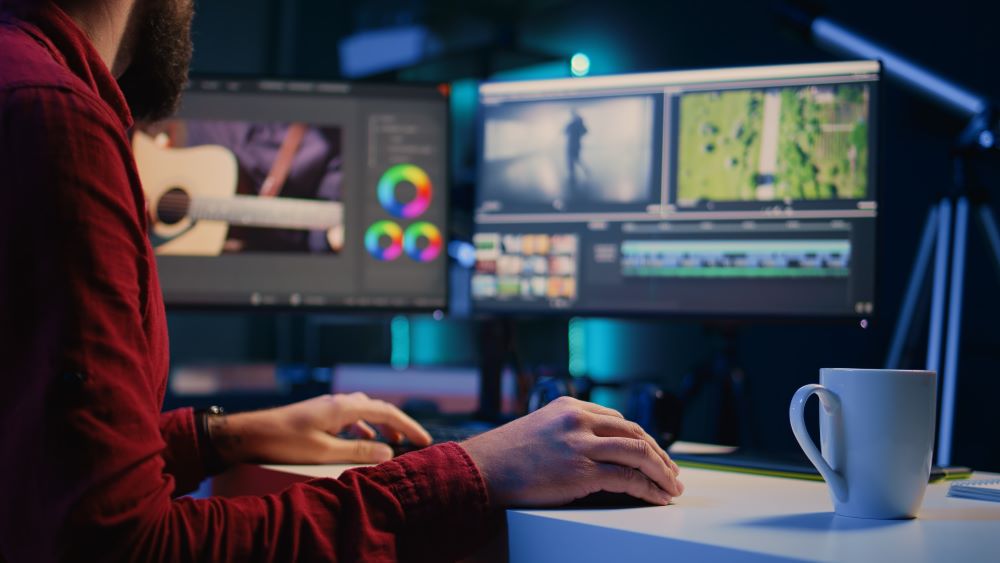
Video editing is not only about cutting clips and adding music. Professional editors know how to make videos smooth, clean, emotional, and interesting to watch. The good news is that you do not need a big studio or expensive equipment to edit like a pro. With practice and the right techniques, anyone can improve their editing skills.
In this blog, you will learn simple and professional video editing tips.
Start With a Clear Plan
Before editing, know what type of video you want to create. Professional editors always have a goal before they begin.
Ask yourself:
- Is the video for YouTube, TikTok, Instagram, or business?
- Should the video feel emotional, funny, fast, or cinematic?
- Who will watch the video?
When you understand the purpose of the video, editing becomes much easier and cleaner.
Organize Your Clips Properly
One thing professional editors always do is keep their files organized. If your clips are messy, editing becomes slow and confusing.
Create folders for:
- Video clips
- Music
- Sound effects
- Images
- Project files
Rename your clips if needed. This saves time and helps you work like a professional.
Cut Out Unnecessary Parts
Good editing is not about adding more. It is about removing boring or useless parts.
Professional editors cut:
- Long pauses
- Mistakes
- Repeated words
- Shaky or bad shots
Try to keep the video moving smoothly. Fast and clean cuts make videos more engaging.
Use Smooth Transitions Carefully
Many beginners use too many flashy transitions. Professional editors usually keep transitions simple.
Popular professional transitions include:
- Simple cuts
- Fade in and fade out
- Smooth zoom transitions
- Motion blur transitions
Do not overuse effects. Too many transitions can make the video look unprofessional.
Focus on Good Audio
Audio is one of the most important parts of editing. Even a good-looking video can feel bad if the sound quality is poor.
Professional editors improve audio by:
- Removing background noise
- Balancing sound levels
- Adding background music
- Using clear voice recordings
Always make sure the voice is easy to hear. Music should support the video, not overpower it.
Learn Basic Color Correction
Color correction helps make videos look clean and cinematic. Professionals adjust colors to create a certain mood.
Simple things you can improve:
- Brightness
- Contrast
- Saturation
- White balance
You do not need advanced skills at first. Even small color improvements can make a big difference.
Add Music That Matches the Mood
Music changes how people feel while watching a video. Professional editors choose music carefully.
Examples:
- Calm music for emotional videos
- Fast music for action edits
- Soft background music for tutorials
Make sure the music matches the energy of the video.
Use Text and Captions Properly
Text can make videos easier to understand and more engaging.
Professional editors use text for:
- Titles
- Captions
- Important points
- Subtitles
Keep fonts simple and readable. Do not use too many different styles in one video.
Pay Attention to Timing
Timing is what makes edits feel professional. Good editors know exactly when to cut clips, add music beats, or show reactions.
Try editing clips according to:
- Music beats
- Emotions
- Action movements
- Speech flow
Better timing makes videos feel smoother and more exciting.
Practice Keyboard Shortcuts
Professional editors work fast because they use keyboard shortcuts instead of clicking everything manually.
Shortcuts help you:
- Cut clips faster
- Move clips quickly
- Zoom in and out
- Undo mistakes easily
Learning shortcuts can save a lot of editing time.
Watch Professional Videos Carefully
One of the best ways to improve is by studying other editors.
Watch YouTube videos, ads, movies, or TikTok edits and notice:
- How cuts are used
- Music timing
- Color style
- Camera angles
- Text animations
You can learn many editing techniques just by observing.
Use the Right Editing Software
You do not need the most expensive software to edit professionally. Many free and affordable apps are very powerful.
Popular editing software includes:
- Adobe Premiere Pro
- DaVinci Resolve
- CapCut
- Final Cut Pro
Choose software that feels comfortable for you and keep practicing with it.
Do Not Overuse Effects
Many beginners think more effects make videos better. Professionals know that simple edits often look cleaner and more powerful.
Avoid adding:
- Too many animations
- Loud sound effects everywhere
- Random filters
- Excessive zooms
Simple editing usually looks more professional.
Keep Practicing Regularly
Professional editing skills take time. Your first few edits may not look perfect, and that is completely normal.
The more you practice:
- The faster you become
- The cleaner your edits look
- The more creative ideas you get
Try editing small videos regularly to improve your confidence and skills.
Conclusion
Editing like a professional video editor is not about expensive tools. It is about creativity, timing, clean cuts, good audio, and practice. Start with simple techniques, learn from other creators, and improve step by step.
With patience and regular practice, you can create videos that look professional and keep viewers interested from start to finish.