
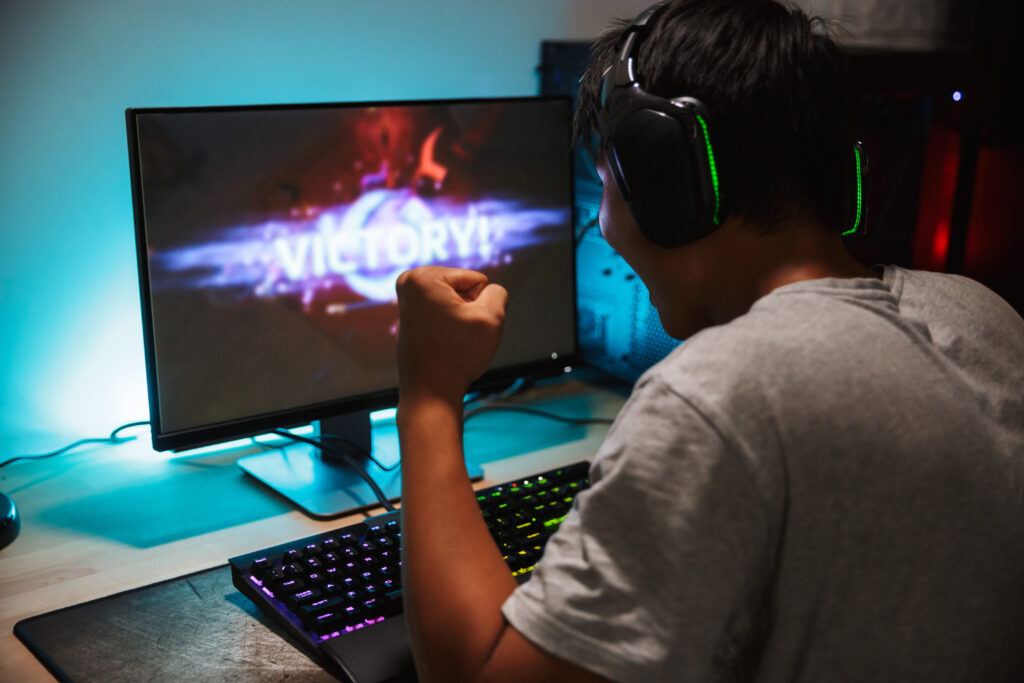
Gaming content is more popular than ever, and thousands of creators are building channels around gameplay, live streams, reviews, tutorials, funny moments, and gaming highlights. However, recording good gameplay is only one part of creating successful content. The way you edit your videos can make a big difference in how professional, entertaining, and engaging your channel looks.
The right gaming video editor can help you turn long gameplay recordings into exciting videos that keep viewers watching. But with so many editing tools available, choosing the best one can feel confusing. Some editors are designed for beginners, while others offer advanced features for professional creators.
This blog will help you understand what to look for when choosing a gaming video editor for your channel.
Understand Your Editing Needs
Before choosing any video editing software, think about the type of gaming content you want to create. Different creators have different editing needs.
For example, a gaming creator who uploads simple gameplay videos may only need basic features such as cutting, trimming, adding music, and inserting text. On the other hand, a creator who makes fast-paced gaming montages may need advanced transitions, visual effects, sound effects, and motion graphics.
Ask yourself a few simple questions:
- Do you create short gaming clips or long videos?
- Do you upload to YouTube, TikTok, Instagram, or multiple platforms?
- Do you need subtitles or captions?
- Do you want to add memes, sound effects, and animations?
- Are you editing videos yourself or hiring someone else?
- Do you need professional-level editing features?
Understanding your needs will make it much easier to choose the right editor.
Look for an Easy-to-Use Interface
If you are new to video editing, choosing complicated software can make the process frustrating. Some professional editing programs have many tools and features that may take weeks or months to learn.
A good gaming video editor should have a clean and easy-to-understand interface. You should be able to import your gameplay, place clips on the timeline, cut unwanted parts, add music, and export your video without too much difficulty.
An easy interface does not mean the software has to be basic. Many modern editing tools offer both beginner-friendly features and advanced options.
If you are just starting your gaming channel, it is usually better to choose software that allows you to learn the basics first. As your editing skills improve, you can start using more advanced tools.
Check the Basic Editing Features
Every good gaming video editor should offer essential editing tools. These features allow you to organize your gameplay and remove unnecessary parts.
Some important basic features include:
- Cutting and trimming clips
- Splitting videos
- Adding text and titles
- Adding background music
- Adjusting video speed
- Adding transitions
- Adding images and overlays
- Basic color adjustment
- Audio editing
These tools may sound simple, but they are important for creating clean and professional videos.
For example, you may want to remove long loading screens, repetitive gameplay, or moments where nothing interesting happens. Trimming these parts can make your video more enjoyable and help keep your audience engaged.
Consider Gaming-Specific Editing Features
Gaming videos often need more than simple cuts and transitions. Depending on your content style, you may need features that help make exciting moments stand out.
Look for tools that allow you to add:
- Zoom-in effects
- Slow-motion highlights
- Sound effects
- Animated text
- Memes and GIFs
- Screen effects
- Picture-in-picture clips
- Facecam overlays
- Keyframe animations
These features can help you create entertaining videos, especially if your channel focuses on funny gameplay, highlights, montages, or reaction-style content.
For example, if something unexpected happens during a game, you can zoom in on the important moment, add a sound effect, and include animated text. Small editing changes like these can make a simple clip much more entertaining.
Check the Performance and System Requirements
Gaming recordings are usually large files, especially when recorded in high resolution and high frame rates. Because of this, your video editing software needs to work well with your computer.
Before choosing an editor, check its system requirements. Some professional software requires a powerful computer with a good processor, enough RAM, and a dedicated graphics card.
If your computer is not very powerful, heavy editing software may lag, freeze, or take a long time to export videos.
You should consider:
- Your computer’s processor
- Available RAM
- Graphics card
- Storage space
- Operating system
Choosing software that matches your system can save you a lot of time and frustration. A lightweight editor that runs smoothly may be more useful than an advanced program that constantly crashes on your computer.
Pay Attention to Export Quality
High-quality gameplay can lose its impact if the final exported video looks blurry or has poor quality. That is why you should check the export options offered by the editing software.
A good gaming video editor should allow you to export videos in high quality, such as HD or 4K, depending on your recording quality and platform.
You should also check whether the software supports different frame rates. Gaming videos often use higher frame rates, especially for fast-moving games.
Look for flexible export settings that allow you to control:
- Resolution
- Frame rate
- Video quality
- File format
- File size
This is especially important if you upload content to platforms such as YouTube, where video quality can affect the viewing experience.
Consider Audio Editing Tools
Good audio is just as important as good video. Your gameplay may look great, but viewers may stop watching if your voice is difficult to hear or the game audio is too loud.
A useful video editor should allow you to control different audio tracks separately. For example, you may want to adjust:
- Game sound
- Voice recording
- Background music
- Sound effects
You may also need features such as noise reduction, volume adjustment, audio fading, and microphone enhancement.
If you create commentary-based gaming videos, strong audio editing tools can make your content sound much more professional.
Look for Caption and Subtitle Options
Captions are becoming increasingly important for online video content. Many people watch videos without sound, especially when scrolling through short-form content.
Adding subtitles can make your gaming videos easier to understand and more accessible to a wider audience.
Some video editors offer automatic caption tools that can save a lot of editing time. Instead of manually typing every word, the software can create captions automatically, which you can review and correct.
If you regularly create gaming Shorts, TikTok videos, or Instagram Reels, caption features can be especially useful.
Think About Your Budget
Video editing software comes in many price ranges. Some tools are completely free, while others require a monthly subscription or a one-time payment.
As a new gaming creator, you do not always need expensive software. Many free or affordable editors provide enough features to create high-quality content.
Before paying for an editor, consider whether you actually need its advanced features. It is better to start with a tool that fits your budget and upgrade later when your channel grows.
You should also check for hidden limitations. Some free editors may include watermarks, restrict export quality, or limit access to certain features.
Compare the free and paid versions before making a decision.
Choose Software That Fits Your Content Style
The best gaming video editor is not necessarily the one with the most features. It is the one that works best for your content style and workflow.
If you create simple gameplay videos, you may prefer a fast and easy editor. If you create cinematic gaming montages, you may need more advanced effects and color editing tools.
Creators who focus on short-form content may benefit from software with built-in templates, automatic captions, and vertical video support.
Think about the type of content you want to create now, but also consider where you want your channel to go in the future.
Conclusion
Choosing the best gaming video editor for your channel does not have to be difficult. Start by understanding your content, your editing skills, your computer, and your budget. Look for software that is easy to use, supports high-quality exports, provides useful audio tools, and includes the editing features you need for your gaming style. Do not choose an editor simply because it is popular or expensive.
The most important thing is finding a tool that helps you edit efficiently and create videos your audience enjoys watching. As your channel grows and your editing skills improve, you can always explore more advanced tools and techniques. A good gaming video editor should make your creative process easier, not more complicated. Choose one that fits your needs, practice regularly, and focus on creating entertaining content that gives viewers a reason to come back to your channel.