

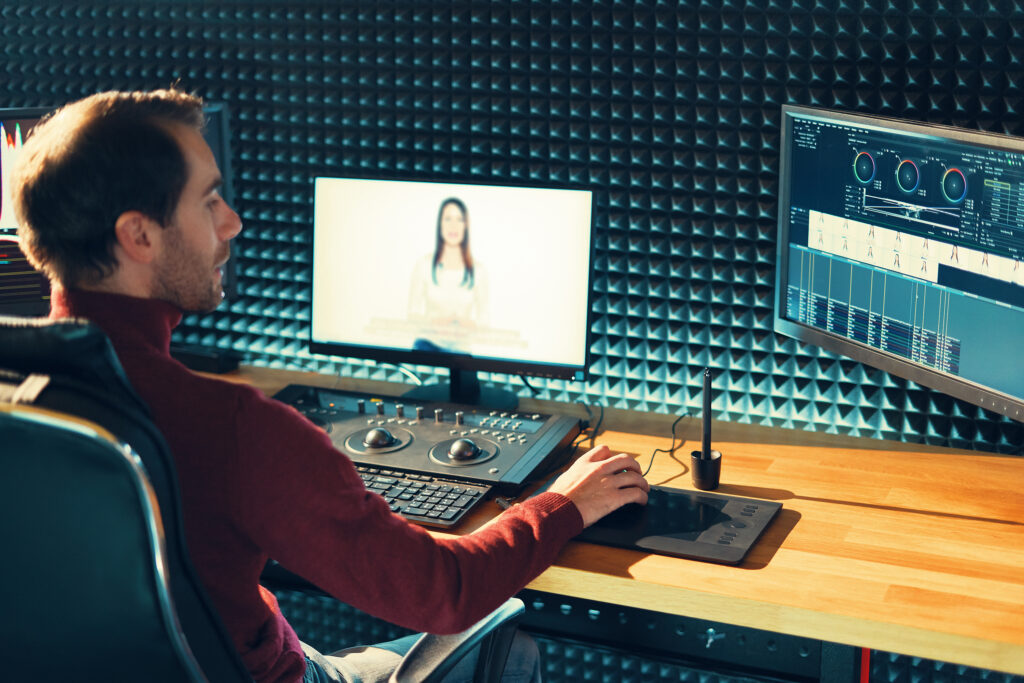
Video editing is one of the most valuable skills you can learn today. Whether you want to become a freelancer, grow your YouTube channel, create social media content, or work for businesses, professional video editing can open many opportunities. The good news is that you don’t need an expensive degree or years of experience to become a skilled video editor. With the right approach, regular practice, and patience, anyone can learn to edit videos like a professional.
You will discover easy and useful techniques in this book to enhance your editing abilities and produce polished and captivating videos.
Start by Understanding the Basics
Before using advanced effects or transitions, focus on the basics of video editing. Professional editors always build a strong foundation first.
Learn the essential editing skills, including:
- Cutting and trimming clips
- Arranging scenes in the right order
- Adding background music
- Adjusting audio levels
- Using smooth transitions
- Adding titles and text
- Exporting videos in the correct format
Once you understand these basics, editing becomes much easier.
Choose the Right Video Editing Software
Your editing software is your main tool. Fortunately, there are many excellent options for beginners and professionals.
Some popular choices include:
- Adobe Premiere Pro
- DaVinci Resolve
- Final Cut Pro (for Mac users)
- CapCut Desktop
- Filmora
Don’t spend too much time switching between different software. Pick one that fits your needs and learn it well. Most editing skills can easily transfer to other programs later.
Learn the Editing Interface
Professional editors know their software inside and out.
Spend time learning where everything is located, such as:
- Timeline
- Preview window
- Media library
- Effects panel
- Audio controls
- Export settings
The faster you become at navigating your editing software, the more efficiently you’ll work on projects.
Watch Tutorials from Experienced Editors
The internet is full of free learning resources.
Watch tutorials that explain:
- Beginner editing techniques
- Color correction
- Audio editing
- Motion graphics
- Storytelling
- Keyboard shortcuts
- Workflow tips
Instead of watching dozens of videos without practicing, pause frequently and follow along with your own footage.
Learning by doing helps you remember much more.
Practice Every Day
The biggest difference between beginners and professionals is practice.
Editing for just 30 to 60 minutes every day will improve your skills much faster than editing only once a week.
Practice projects can include:
- Travel videos
- Family videos
- Product videos
- YouTube content
- Instagram Reels
- TikTok videos
- Short documentaries
Each project teaches something new.
Learn the Art of Storytelling
One facet of expert video editing is the use of effects.
A great editor tells a story.
Ask yourself while editing:
- Does every clip have a purpose?
- Is the video interesting from beginning to end?
- Does the pacing keep viewers engaged?
- Is there a clear beginning, middle, and ending?
Even simple videos become more powerful when they tell a good story.
Focus on Clean and Simple Editing
Many beginners think more effects make a better video.
In reality, professional editors often keep things simple.
Avoid:
- Too many flashy transitions
- Excessive animations
- Overused visual effects
- Distracting text
- Loud background music
Clean editing keeps viewers focused on the content rather than the effects.
Improve Your Audio Editing Skills
Many people forgive average video quality, but poor audio quickly drives viewers away.
Professional editors spend time improving sound quality by:
- Removing background noise
- Balancing voice and music
- Using smooth audio fades
- Adding sound effects carefully
- Keeping dialogue clear
Good audio instantly makes your videos feel more professional.
Learn Basic Color Correction
Color correction helps your footage look natural and consistent.
Basic adjustments include:
- Brightness
- Contrast
- Saturation
- White balance
- Shadows
- Highlights
You can experiment with color grading to give your films a distinctive look after color correction.
Remember that subtle changes often look better than dramatic ones.
Study Professional Videos
One of the fastest ways to improve is by watching successful videos.
Pay attention to:
- Scene length
- Camera angles
- Music choices
- Text placement
- Color style
- Editing rhythm
- Story flow
Try recreating short sections as practice. This helps you understand why professional videos feel polished.
Learn Keyboard Shortcuts
Professional editors rely heavily on keyboard shortcuts.
Learning shortcuts can save hours during large editing projects.
Start with shortcuts for:
- Cut
- Undo
- Copy
- Paste
- Zoom timeline
- Play and pause
- Ripple delete
As you edit more, these shortcuts become second nature and greatly improve your speed.
Organize Your Files Properly
A messy project wastes valuable time.
Create folders for:
- Video clips
- Audio
- Music
- Graphics
- Images
- Exports
- Project files
Use clear file names so you can easily find what you need.
Professional organization also makes teamwork much easier.
Accept Feedback and Keep Improving
No editor becomes an expert overnight.
Share your work with:
- Friends
- Family
- Clients
- Other editors
- Online communities
Constructive feedback helps you notice mistakes you may have missed.
Don’t take criticism personally. Every project is a chance to improve.
Build a Portfolio
As your skills improve, save your best work.
Your portfolio can include:
- Commercial advertisements
- Social media videos
- Wedding edits
- Product videos
- Corporate videos
- Event highlights
- YouTube videos
A strong portfolio often matters more than certificates when applying for jobs or freelance work.
Stay Updated with New Trends
Video editing changes quickly.
New features, editing styles, and social media trends appear every year.
Keep learning by:
- Following editing creators
- Watching industry news
- Trying new software updates
- Experimenting with different editing techniques
Continuous learning helps you stay competitive in the industry.
Practice Working Under Deadlines
Professional editors often work with strict deadlines.
Give yourself editing challenges such as:
- Finish a one-minute video in one hour.
- Edit a social media Reel in 30 minutes.
- Create a product advertisement in one day.
Working under time limits improves both speed and decision-making.
Learn Basic Motion Graphics
You don’t need to become an animation expert, but learning simple motion graphics can make your videos more engaging.
Practice creating:
- Animated titles
- Lower thirds
- Logo animations
- Call-to-action graphics
- Intro and outro screens
Simple animations add a polished touch without overwhelming the viewer.
Be Patient with Your Progress
Every professional editor was once a beginner.
Your first videos may not look perfect, and that’s completely normal.
The key is to keep practicing, learning from mistakes, and finishing projects instead of giving up halfway.
Small improvements over time lead to professional-level skills.
Conclusion
Learning video editing like a professional takes dedication, regular practice, and a willingness to keep improving. Focus on mastering the basics before moving on to advanced techniques, study high-quality videos, improve your storytelling skills, and never stop practicing.
Remember that professional editing isn’t about using the most effects, it’s about creating videos that are clear, engaging, and enjoyable to watch. Create a portfolio, ask for criticism, and keep up with emerging trends as you learn more. Over time, your confidence and editing skills will grow, opening doors to freelance work, content creation, marketing, and many other career opportunities.
With consistency and patience, you can develop the skills needed to edit videos that truly stand out and leave a lasting impression on your audience.